1
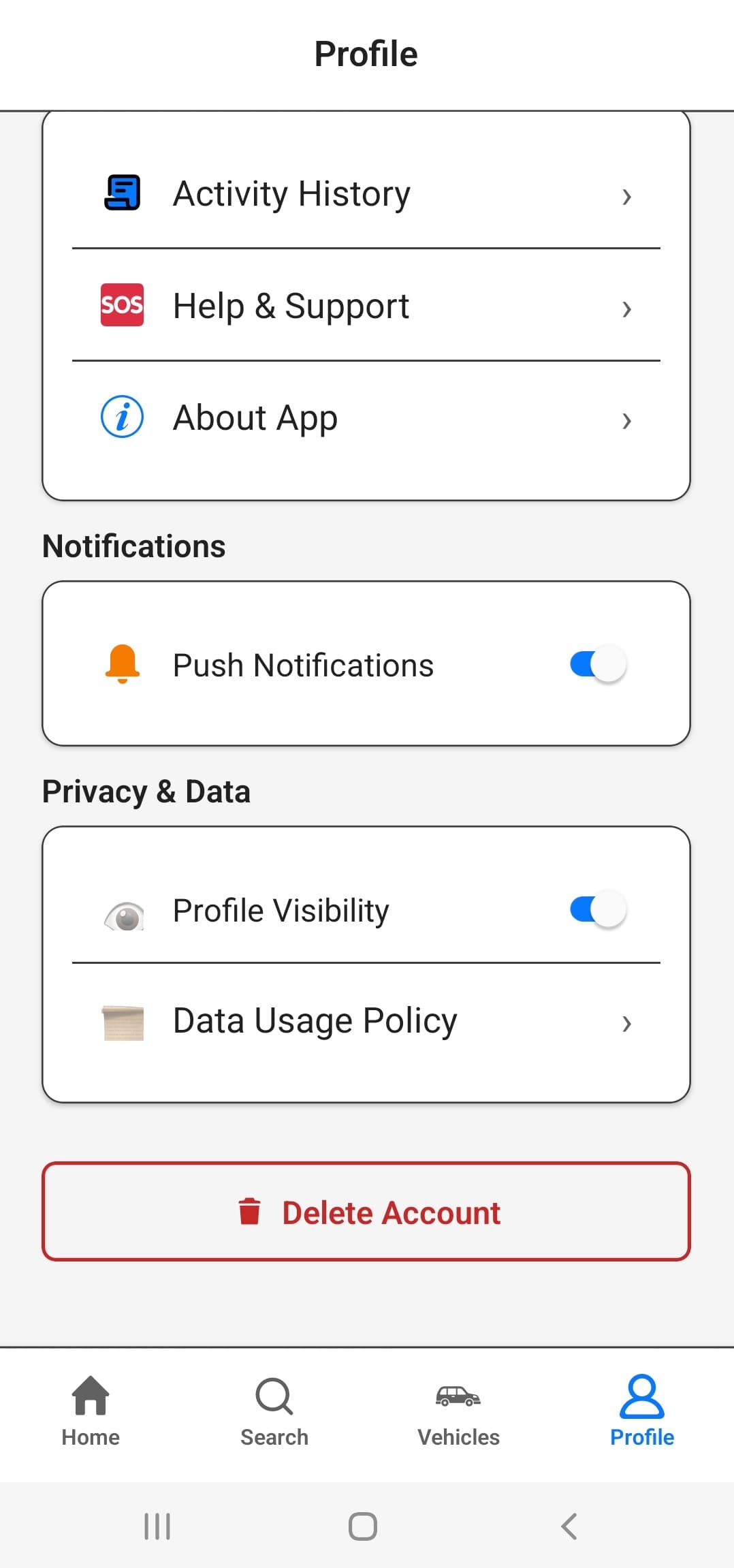
Step 1
Open Profile and scroll to Delete Account.
Wayze users can request deletion of their account and associated data at any time. After a deletion request is submitted, we may ask for confirmation by email or WhatsApp. The 14-day grace period begins only after the deletion request is confirmed, and the account is not deleted instantly.
Deleting a vehicle does not delete your account
Vehicle removal only unregisters that vehicle while keeping your Wayze account active.
Once confirmed, your account is scheduled for deletion. You can cancel the deletion request by logging back into your account before the deletion period ends.
Step 1
Open Profile and scroll to Delete Account.
Step 2
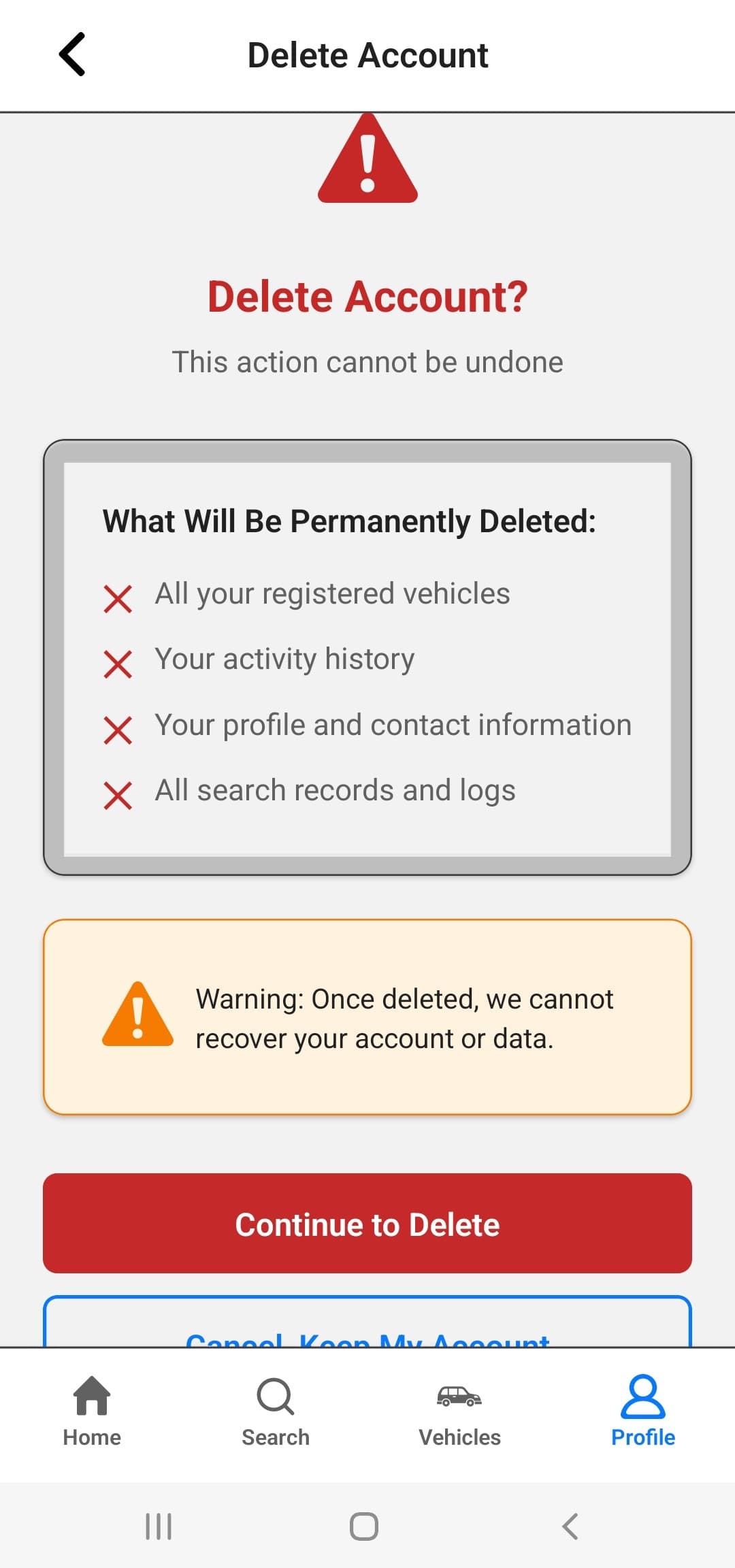
Review what gets removed before continuing.
Step 3
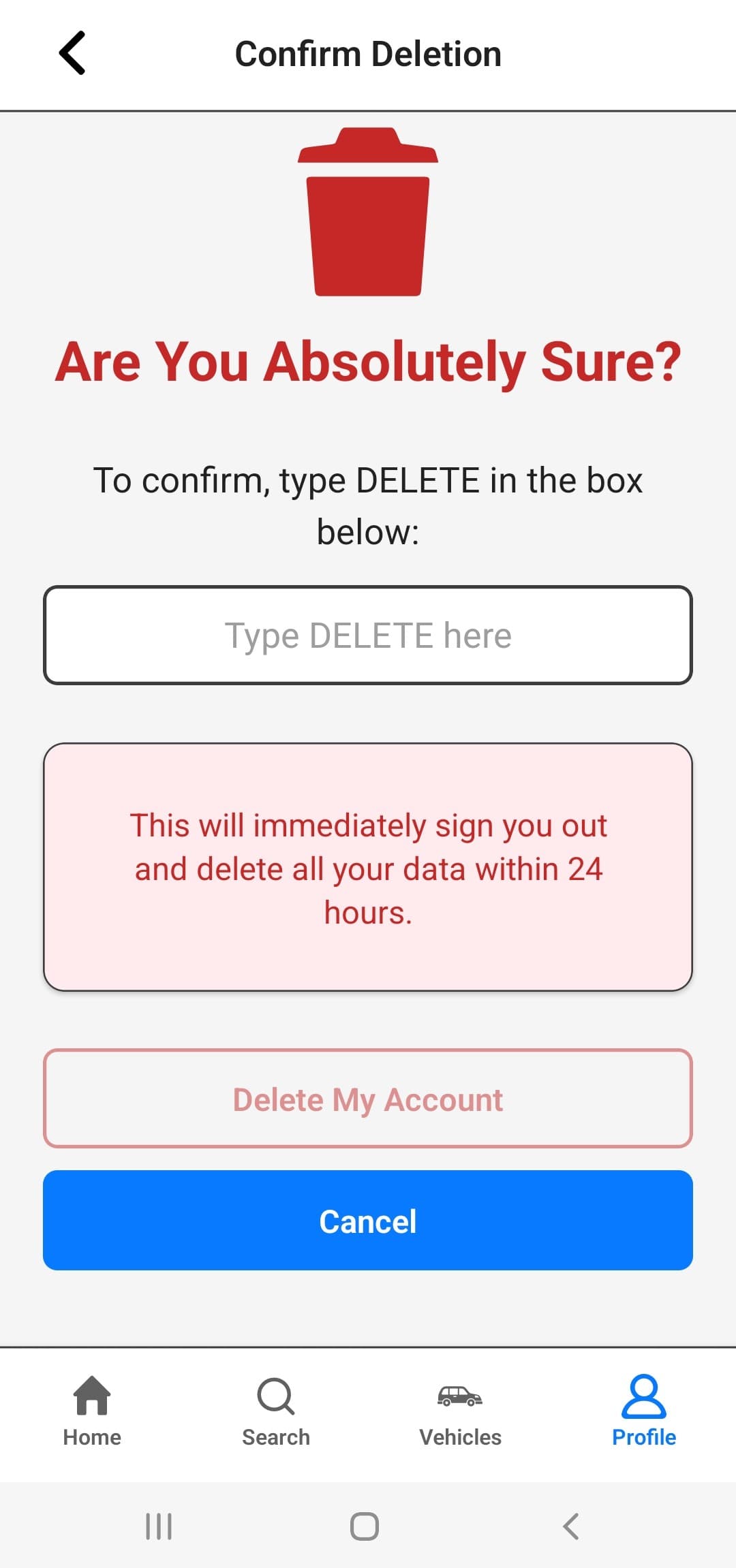
Tap Continue to Delete to proceed.
Step 4
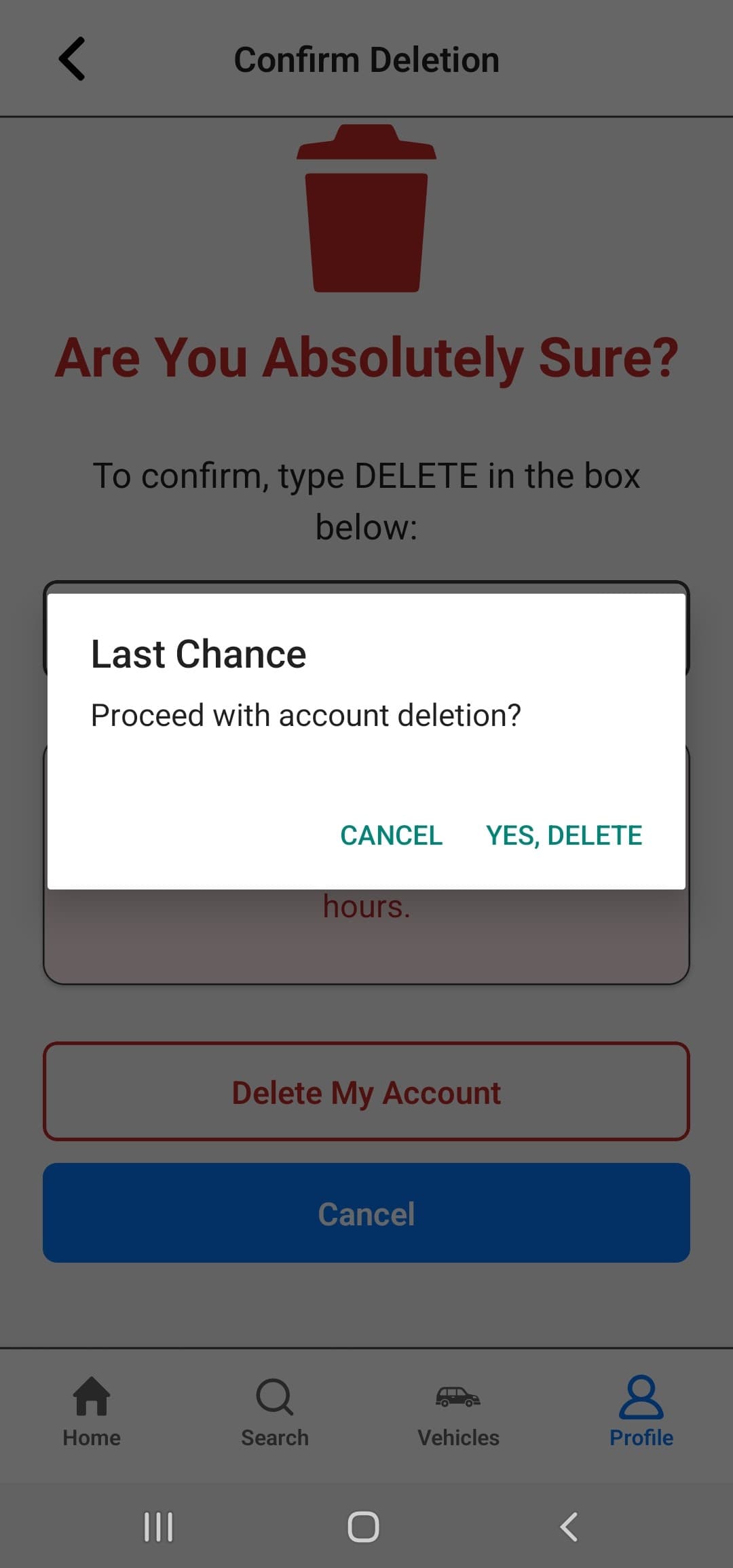
Type DELETE and tap YES, DELETE.
Important
Account deletion is not immediate. We may ask for confirmation by email or WhatsApp, and the 14-day grace period starts only after confirmation is received. Until then, the account is not permanently deleted.
If you cannot access the app, use this form to submit an account deletion request. This page is the official web-based deletion request method for Wayze. After submission, we may contact you by registered email address or WhatsApp to confirm the request before starting deletion.
Use your registered email address so we can verify the request faster. We may ask for confirmation by email or WhatsApp before the deletion process starts.
If the form does not work for you, email contact@wayze.in from your registered email address. We may reply by email or contact you on WhatsApp to confirm the deletion request before the 14-day grace period begins.
Subject: Account Deletion Request – Wayze
Include:
Step 1: Submit request
Step 2: Confirm request
Step 3: Permanent deletion
Some limited data may be retained temporarily where necessary for legitimate reasons.
If any such data is retained, it is kept only for as long as reasonably necessary for those purposes and is then deleted or anonymized in accordance with internal retention practices and applicable law.
Unregister a specific vehicle while keeping your account active.
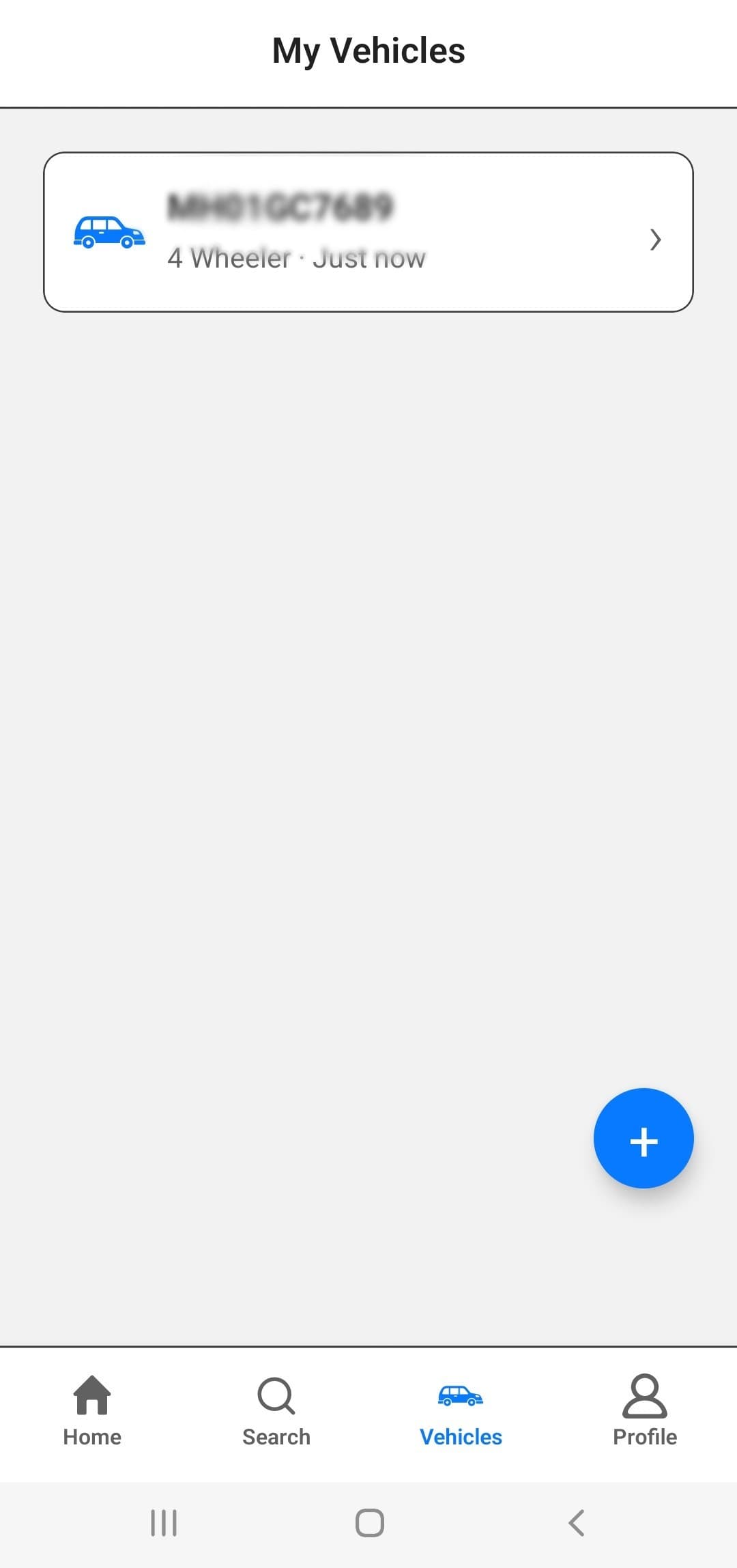
Step 1
Go to Vehicles and find the vehicle you want to remove.
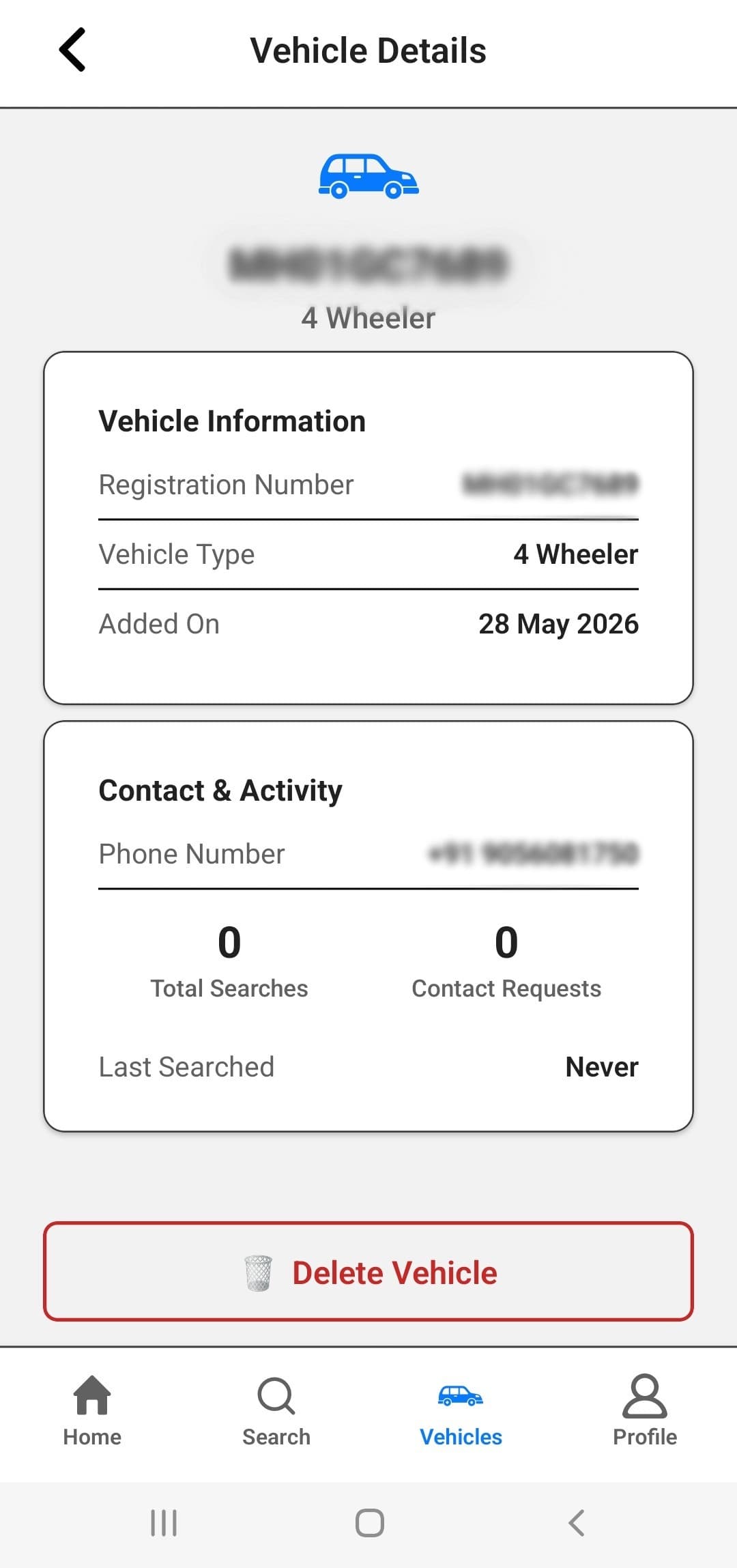
Step 2
Tap the trash icon next to the selected vehicle.
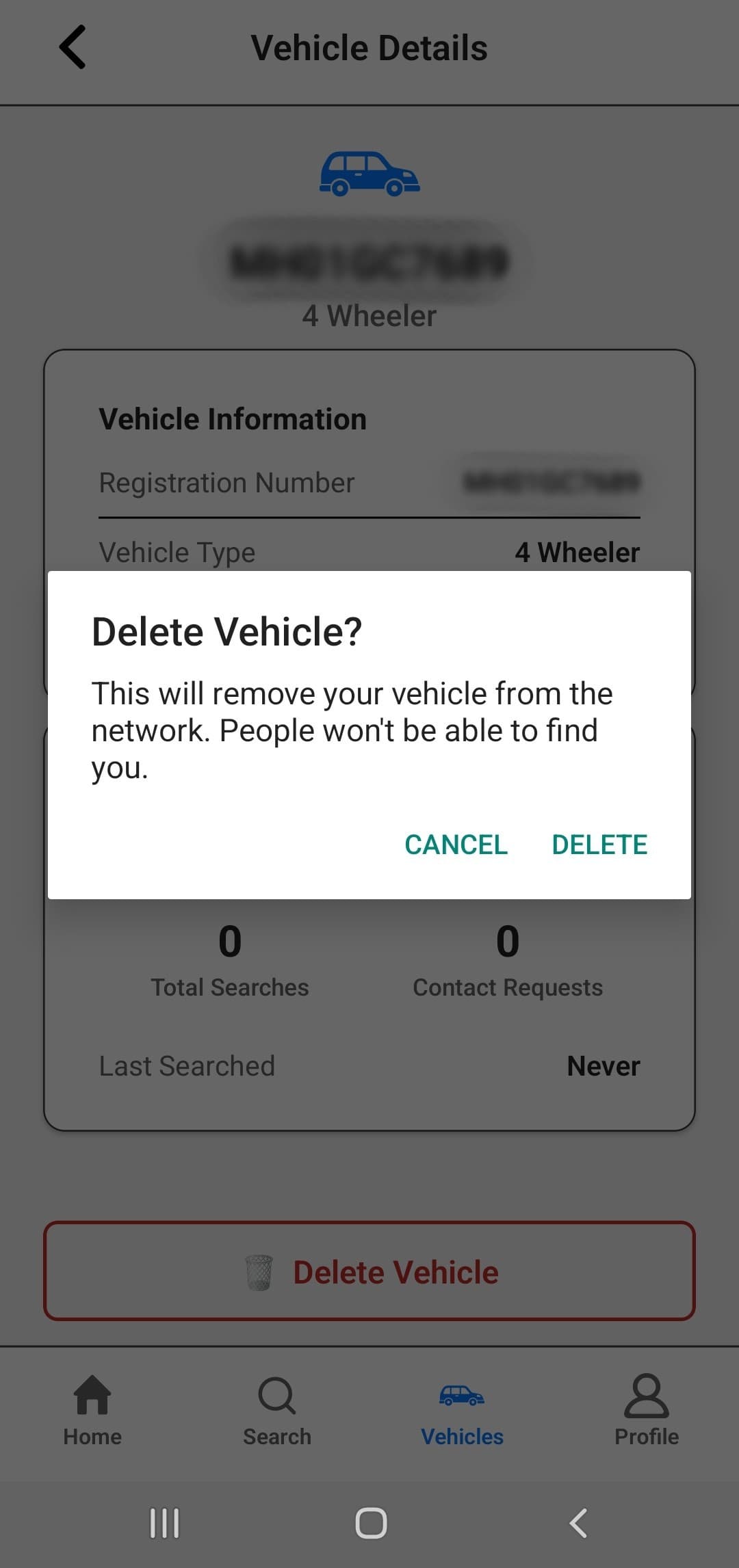
Step 3
Tap DELETE VEHICLE in the confirmation dialog.
Vehicle deletion only unregisters the selected vehicle. Your Wayze account remains active.
If you are unable to complete deletion in the app or need help with your deletion request, contact us at contact@wayze.in. We may respond by email or WhatsApp to confirm the request before the 14-day grace period begins.